Authentication
Open Object supports token authentication (or bearer authentication), which means that everyone who has the security token can access the API. Tokens are configured in the admin.
In this section we will create a security token for Open Object and use it in the HTTP request.
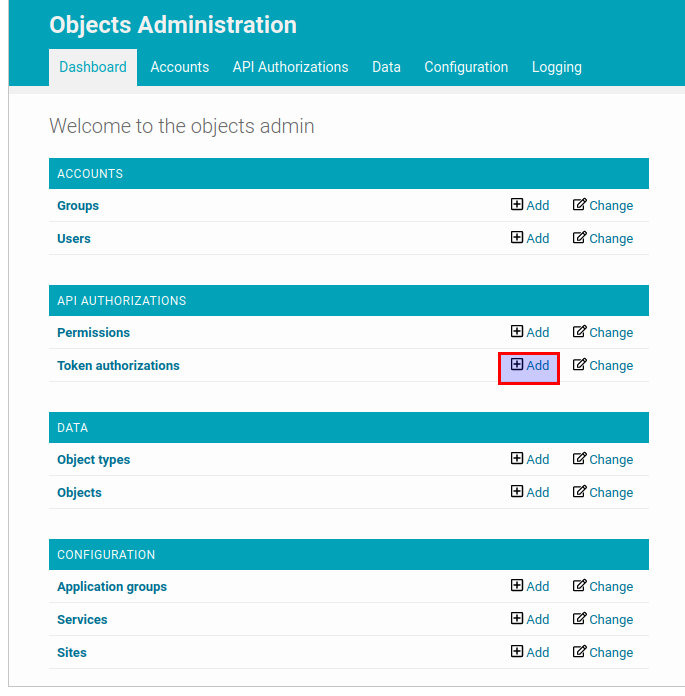
In the admin of the API click on the “add” button for “Token authorizations” resource.
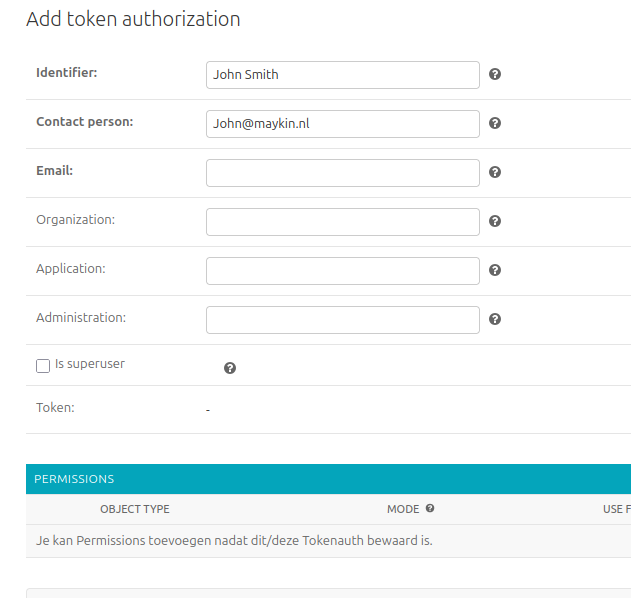
The “Permissions” section is used for authorizations and can be left empty for now. It’s described in the Authorization section of this document.
After the form is filled in and submitted the token would be created. The token
itself is a sequence of 40 letters and digits. It’s value is generated automatically
when the form is submitted. In this example we will use 5678 as a token value.
Now we can use the created token to request the API. The token should be
included into “Authorization” header: Authorization: Token 5678
GET /api/v2/objects HTTP/1.1
Authorization: Token 5678

HTTP/1.1 200 OK

[]
If you want to know how to use the API you can follow API Usage
Now you can configure Authorization for the API.